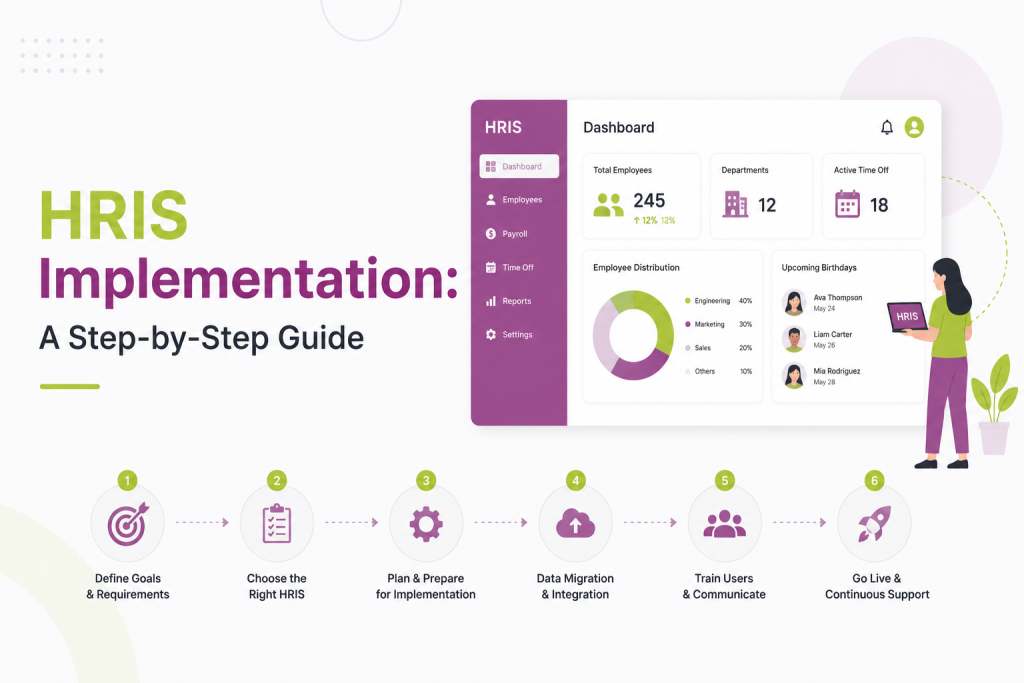
Rolling out a new Human Resource Information System touches every part of the employee lifecycle, from recruiting and onboarding to payroll and performance management. Done well, an HRIS implementation gives HR teams a single source of truth and frees them from spreadsheets and manual data entry. Done poorly, it creates data errors, employee frustration, and a system nobody trusts.
This guide walks through the practical steps of implementing an HRIS, so your rollout is smooth and the system actually gets adopted.
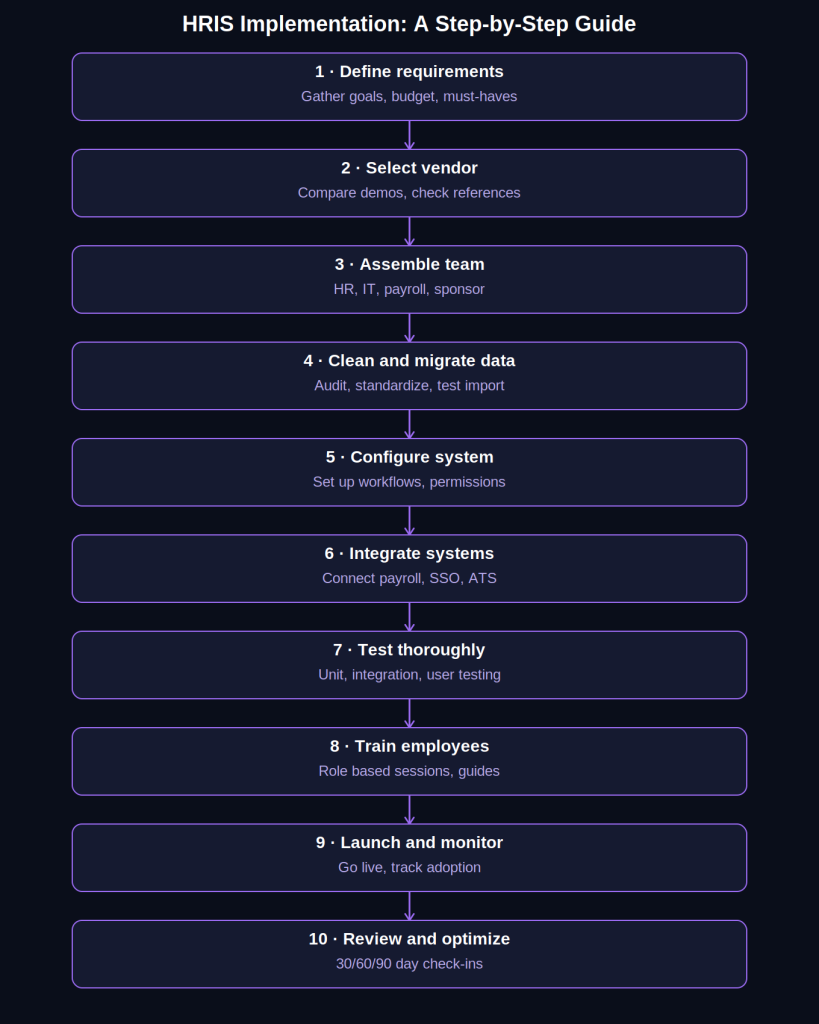
TL;DR: HRIS Implementation in 10 Steps
- Define your requirements before shopping for vendors, separating must-haves from nice-to-haves
- Shortlist and evaluate vendors based on real workflows, not generic demos
- Build a small cross-functional implementation team with a clear owner and executive sponsor
- Clean and standardize your data before migrating, and test the import in a sandbox first
- Configure the system to match your workflows, but avoid over-customizing
- Map and test every integration (payroll, SSO, ATS) before launch
- Run unit, integration, and user acceptance testing, and don’t launch with unresolved critical bugs
- Train employees, managers, and HR admins with role-specific sessions and materials
- Launch outside your busiest business periods and monitor adoption closely in the first few weeks
- Review the system at 30, 60, and 90 days and keep optimizing based on real usage
What is HRIS Implementation?
HRIS implementation is the process of selecting, configuring, migrating data into, and launching a Human Resource Information System across an organization. It covers everything from the initial needs assessment to post-launch support, and typically involves HR, IT, finance, and department leaders working together over several weeks or months.
A successful implementation isn’t just a technical rollout. It’s a change management project that happens to involve software.
Step 1: Define Your Requirements Before You Shop
Before evaluating vendors, get clear internally on what problems you’re solving. Common triggers for a new HRIS include outgrown spreadsheets, disconnected point solutions for payroll and benefits, compliance risk from manual processes, or a need for better workforce analytics.
Bring together stakeholders from HR, IT, payroll, and finance to build a requirements list. Separate must-haves from nice-to-haves. A company with 50 employees across one country has very different needs than one with 2,000 employees across five countries with complex compliance obligations.
Key questions to answer at this stage:
- What core modules do you need (payroll, benefits, time tracking, performance, recruiting)?
- Does the system need to integrate with existing tools like your accounting software or applicant tracking system?
- What’s your budget, including implementation and ongoing licensing costs?
- Who will own the system after launch?
Step 2: Select the Right HRIS Vendor
With requirements in hand, narrow your vendor shortlist to three or four options. Request demos tailored to your actual use cases rather than generic sales pitches. Ask vendors to walk through your specific workflows: how a new hire is onboarded, how a pay change is processed, how a manager approves time off.
Check references from companies similar in size and industry to yours. Ask reference customers specifically about their implementation experience, not just how they like the product day to day. Implementation quality varies significantly even among strong products, and a rocky rollout can sour adoption for months.
Also evaluate the vendor’s implementation support model. Some vendors assign a dedicated implementation manager; others rely heavily on self-service documentation and expect you to drive the project. Know which model you’re getting before signing.
Also read: What is Total Rewards? A Guide for HR and People Teams
Step 3: Assemble Your Implementation Team
Every HRIS implementation needs a clear owner, usually someone from HR operations or HR technology. Beyond that lead, build a small cross-functional team:
- HR representative to manage policy and workflow configuration
- IT representative to handle integrations, single sign-on, and data security
- Payroll or finance representative if payroll is part of the scope
- Executive sponsor who can unblock decisions and champion the project internally
Assign clear roles and set a realistic timeline. Most mid-market HRIS implementations take anywhere from six weeks to six months depending on scope, number of integrations, and data complexity.
Step 4: Clean and Migrate Your Data
Data migration is where many HRIS implementations run into trouble. Legacy systems and spreadsheets often contain outdated, duplicated, or inconsistent employee records, and importing that mess into a new system just relocates the problem.
Before migration:
- Audit existing employee data for accuracy and completeness.
- Standardize formats, for example job titles, department names, and date formats.
- Decide what historical data actually needs to migrate versus what can be archived separately.
- Assign data owners who are responsible for verifying accuracy in their area.
Most vendors provide data templates for import. Populate these carefully, and run at least one test migration into a sandbox environment before touching production data. Reconcile the test import against your source records line by line for a sample of employees, not just a summary count.
Step 5: Configure the System to Match Your Workflows
Configuration is where the HRIS becomes your HRIS rather than a generic template. This includes setting up:
- Organizational structure (departments, locations, reporting lines)
- Approval workflows for time off, expenses, and pay changes
- Compensation and benefits structures
- Role-based permissions so employees, managers, and HR see only what they should
- Compliance settings specific to your jurisdictions
Resist the urge to over-customize. Heavily customized configurations are harder to maintain, more expensive to update, and more likely to break during vendor updates. Where the vendor’s standard workflow reasonably fits your process, use it.
Step 6: Integrate With Existing Systems
Few companies run HR in isolation. Your HRIS likely needs to connect with payroll providers, benefits administrators, accounting software, single sign-on providers, and possibly an applicant tracking system.
Map out every required integration early, since some take longer to build and test than the core HRIS configuration itself. Confirm with IT whether integrations are pre-built connectors, require middleware, or need custom API work. Test each integration with real (or realistic test) data flowing both directions before launch, not just a one-way data push.
Step 7: Test Thoroughly Before Launch
Testing should happen in layers:
- Unit testing of individual workflows, like a single employee’s onboarding path
- Integration testing to confirm data flows correctly between the HRIS and connected systems
- User acceptance testing (UAT) with actual HR staff and a sample of managers and employees
UAT is where usability problems surface that a technical team might miss. Have real users complete real tasks, like submitting a time-off request or updating their address, and gather feedback before rollout.
Build a defect list during testing, prioritize by severity, and don’t launch with unresolved critical issues, even if the timeline is tight.
Also read: Agentic AI in HR: What Changes When AI Doesn’t Just Draft, But Acts
Step 8: Train Employees and Managers
Adoption is often the biggest risk in any HRIS implementation, not the technology itself. Employees who are used to emailing HR or filling out paper forms may be reluctant to switch to a self-service portal without support.
Build role-specific training:
- Employees need to know how to view pay stubs, request time off, and update personal information.
- Managers need training on approvals, direct report data, and any reporting dashboards.
- HR administrators need deeper training on configuration, troubleshooting, and reporting.
Offer multiple formats, such as live sessions, short recorded walkthroughs, and quick-reference guides, since people learn differently and will return to material at different times.
Step 9: Launch and Monitor Closely
Choose a launch date that avoids your busiest business periods, such as year-end payroll processing or open enrollment, if possible. Communicate the go-live date well in advance, along with what employees should expect to change.
In the first few weeks after launch:
- Monitor a help desk or dedicated channel for HRIS questions and issues
- Track adoption metrics like login rates and self-service task completion
- Address data errors quickly, since unresolved issues erode trust in the system fast
Step 10: Review and Optimize Post-Launch
An HRIS implementation doesn’t end at go-live. Schedule a formal review 30, 60, and 90 days after launch to assess what’s working and what needs adjustment. Revisit configuration decisions that seemed right in theory but are causing friction in practice.
Keep a running list of enhancement requests from users, and work with your vendor’s ongoing support team to prioritize updates. Most HRIS platforms release regular feature updates, so build a habit of reviewing new capabilities that might benefit your team.
Final Thoughts
A successful HRIS implementation depends less on picking the “best” software and more on disciplined planning, clean data, thoughtful configuration, and genuine attention to user adoption. Treat it as a project with a defined team, timeline, and testing process rather than a simple software install, and you’ll end up with a system your HR team and employees actually rely on.
FAQs-
How long does an HRIS implementation typically take?
Most mid-market implementations take six weeks to six months, depending on company size, integrations, and scope.
What is the biggest risk in an HRIS implementation?
Messy data migration and weak user adoption are the most common failure points, even when the software itself works fine.
Who should lead an HRIS implementation project?
A dedicated HR operations or HR technology owner, supported by IT, payroll, and an executive sponsor to unblock decisions.
How much does an HRIS implementation cost?
Costs vary by vendor and scope, and typically include licensing, setup fees, data migration, integrations, and internal staff time.
Should we customize our HRIS or use standard configurations?
Favor standard workflows where possible. Heavy customization is costlier to maintain and more likely to break during updates.