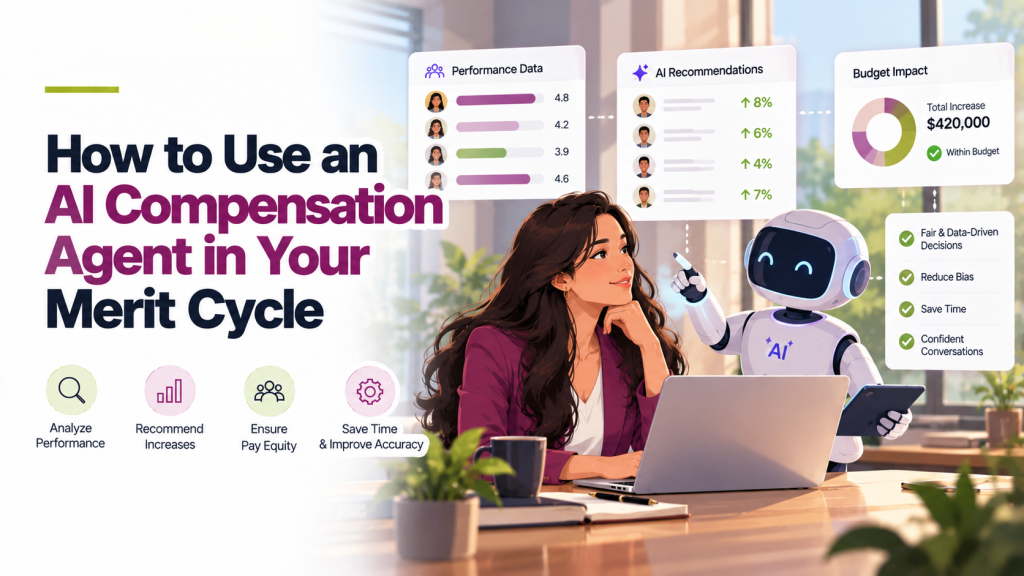
An AI compensation agent helps at every stage of a merit cycle: modeling the budget before the cycle opens, answering manager questions while they plan, checking pay equity before approvals, and building reports afterward. You type requests in plain English, and the agent runs the analysis on your own pay data. Below are real prompts for each stage, using Iconic, Stello AI’s AI compensation agent.
What an AI Compensation Agent Does in Merit Planning
Merit planning involves a lot of repeated analysis. HR builds budget scenarios for finance, answers the same manager questions dozens of times, checks for pay gaps, and pulls reports for leadership. Each request usually means a new spreadsheet.
An AI compensation agent does that work directly. It reads your salary ranges, budgets, performance ratings and pay history, and answers in seconds. The final decisions stay with HR and managers.
This is different from asking a general chatbot. A general tool can explain what a merit matrix is, but it can’t see your people or your budget.
Stage 1: Before the Comp Cycle Opens
The biggest decisions in comp cycles are made before managers ever log in: how big the budget is, how it’s split, and what guidelines managers follow.
Model the overall budget
“What does our merit budget look like at 3.5% compared with 4%?”
“Show me the total cost of a 3.5% merit budget, split by department.”
Build a scenario with rules
“Give a 4% increase to everyone rated Exceeds and 2.5% to everyone rated Meets. What’s the total cost?”
“Cap all increases at the maximum of each salary range. How much does that save?”
In Stello AI, every rule you add is saved in a rulebook for that scenario, and the employees each rule affects are highlighted. You can remove a rule and see the cost change straight away.
Check the scenario for pay equity
“How does this scenario change average salary by gender, by level and location?”
Share with finance
Finance and HR leaders can each build their own scenarios, then compare. When a scenario is final, you can download it as a CSV file.
Stage 2: While Managers Plan
During the cycle, the comp team’s inbox fills with manager questions. An AI compensation agent can answer most of them directly, and it only shows each manager data about their own team.
Budget questions
“How much merit budget do I have left?”
“If I give Priya a 6% increase, how much budget remains for the rest of my team?”
Pay position questions
“Who on my team is paid below their band midpoint?”
“Show me each person’s compa-ratio and last increase.”
History questions
“What were Daniel’s last three salary increases and bonus payouts?”
In Stello AI, a manager with 61 people on their team gets answers about those 61 people only. A CHRO or CFO asking the same question gets company-wide answers.
Stage 3: Before Approvals
Before recommendations are approved, HR needs to catch problems: overspend, outliers and pay gaps.
Find budget problems
“Which managers are over budget, and by how much?”
“Which departments haven’t submitted their recommendations yet?”
Find outliers
“List everyone receiving more than 8% this cycle.”
“Which top performers are getting less than the average increase?”
Check pay equity
“After planned increases, what is the gender pay gap by department?”
“Are any employees still below the range minimum after this cycle?”
Stage 4: After the Cycle
Once the cycle closes, leadership wants to know what happened. An AI compensation agent can turn questions into charts ready for a slide deck.
“Show average merit increase by performance rating as a bar chart.”
“Break down total bonus spend by region.”
“Compare this year’s average increase by department with last year’s.”
You can refine a chart just by asking, for example “make it a line chart” or “only show engineering.”
Tips for Writing Better Prompts
- Be specific about the group. “Engineering managers in Austin” gets a better answer than “some of my team.”
- Name the measure. Say whether you mean base salary, total cash or total compensation.
- Ask for the working. “Show how you calculated this” helps you check the answer before you share it.
- Build in steps. Start with a budget, then add rules one at a time, checking the cost after each.
- Keep people in the loop. Treat the agent’s answer as analysis, and let the normal approval process make the decision.
AI Compensation Software vs Traditional Salary Surveys
AI compensation software doesn’t replace market data. It works on top of it. Salary surveys still tell you what the market pays. AI speeds up the slow parts, like matching your jobs to survey roles, modeling budgets and answering questions about your own data.
In Stello AI, the same agent that runs your merit cycle can also help with market pricing. For example, “Match all engineering roles” or “Build ranges at the 60th percentile with a 40% width.” See how AI market pricing works (link to Compensation Benchmarking page).
Frequently Asked Questions
What is an AI compensation agent?
An AI compensation agent is software that answers compensation questions and does compensation tasks using your company’s pay data, such as modeling budgets, checking pay equity and building reports.
How does an AI compensation agent help with merit planning?
It models merit budgets before the cycle, answers manager questions during it, flags overspend and pay gaps before approvals, and builds reports afterward.
Can managers see other teams’ data through the agent?
Not in Stello AI. The agent follows each user’s access rights, so managers only get answers about their own team.
Does the AI decide who gets a raise?
No. The agent recommends and analyzes. Managers and HR make and approve every decision.
What’s a good first prompt to try?
Start with your budget: “What does our merit budget look like at 3.5% compared with 4%?” It’s quick to check and useful right away.