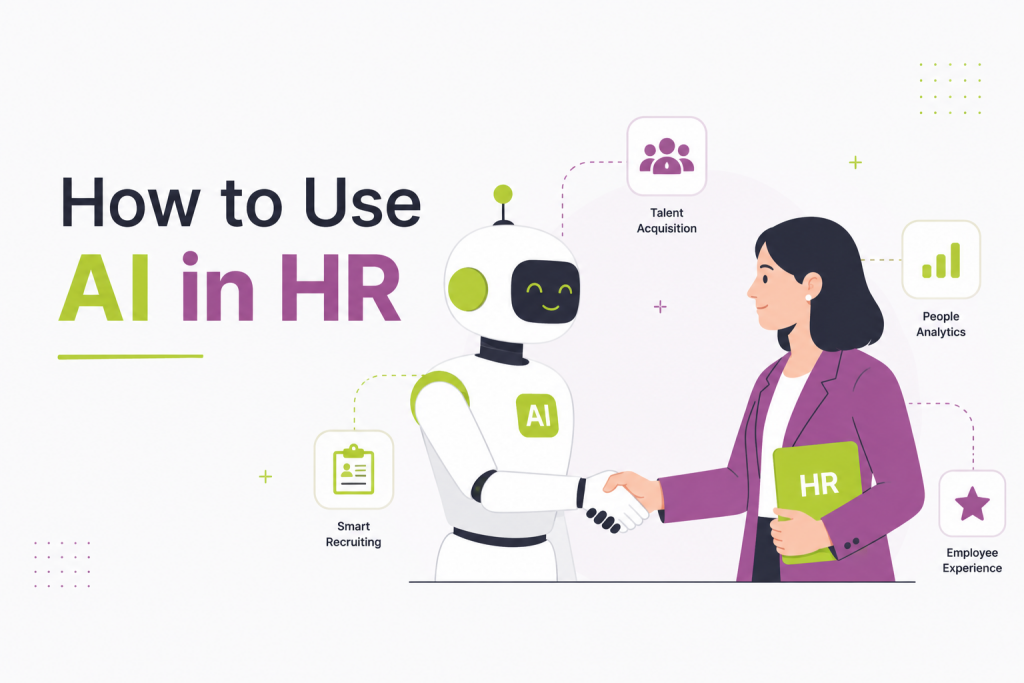
HR has always been about people — hiring the right ones, developing them, retaining them, and building the kind of culture where they actually want to stay. But somewhere between managing compliance, processing paperwork, and putting out day-to-day fires, many HR teams find themselves with little time left for the work that actually moves the needle. AI is changing that. Not by replacing HR professionals, but by taking the repetitive, time-consuming tasks off their plate — so they can get back to the work only humans can do.
This guide is designed specifically for mid-market HR teams: organisations big enough to have real HR complexity, but lean enough that every hour counts. Whether you’re just starting to explore AI or looking to formalise your approach, here’s a clear, practical roadmap to get started.
TL;DR
How to use AI in HR: the essentials for mid-market teams
- 1 Recruitment first. Use AI to write job descriptions, screen CVs, and automate interview scheduling — the highest-ROI starting point for most HR teams.
- 2 Onboarding at scale. AI chatbots handle repetitive new-hire questions 24/7, while smart platforms auto-generate role-specific 30-60-90 day plans.
- 3 Smarter performance management. AI drafts reviews, flags flight risks early, and personalises learning paths — so managers spend time leading, not writing.
- 4 Operations and compliance on autopilot. AI drafts policies, catches payroll anomalies, and monitors regulatory changes across multi-state or multi-country teams.
- 5 Engagement you can actually measure. Sentiment analysis and always-on pulse surveys give you a live read on morale — not a six-month-old snapshot.
⚠️ Watch out for: bias in screening tools, data privacy obligations (GDPR/CCPA), and over-automating decisions that need human empathy.
Why Mid-Market HR Teams Are the Perfect AI Fit
Enterprise companies have dedicated tech teams and massive budgets. Startups move fast with small, scrappy crews. Mid-market HR teams — typically supporting 200 to 2,000 employees — sit in a uniquely challenging position: real complexity, real compliance requirements, real employee expectations, but without the resources of a Fortune 500 HR department.
That’s exactly where AI delivers outsized value.
Unlike automation tools of the past, today’s AI assistants don’t just execute rules — they understand context, generate content, analyse patterns, and surface insights. For an HR team of five managing 800 employees, that’s the difference between staying reactive and getting ahead of the business.
This guide walks you through the core HR functions where AI makes the biggest impact, how to implement it step by step, and what to watch out for as you build an AI-assisted HR practice.
Step 1: Start With Recruitment – Your Highest-Volume Pain Point
Why here first: Recruiting is where HR teams spend the most time on tasks that AI handles exceptionally well — writing, screening, scheduling, and communication.
Write Better Job Descriptions in Minutes
Most job descriptions are either too generic to attract the right candidates or too technical to be read. AI tools like Claude, ChatGPT, or specialised platforms like Otta can generate tailored job descriptions when you feed them a role brief. You provide the must-haves, team context, and tone — the AI drafts a compelling post in seconds.
How to do it: Prompt the AI with: “Write a job description for a Senior Product Manager at a 600-person B2B SaaS company. The role sits within the Growth team. We value autonomy, clear communication, and data-driven decision-making. Avoid corporate jargon.”
Review, refine, and publish. What used to take an hour takes ten minutes.
AI-Assisted Resume Screening
Tools like Greenhouse, Lever, and newer platforms like Fetcher or HireVue use AI to rank applicants based on skills, experience patterns, and role fit — before a human ever opens a CV. For mid-market teams receiving hundreds of applications per role, this cuts screening time by 60–70%.
Important caveat: Always audit AI screening outputs for bias. If your historical hiring data underrepresents certain demographics, AI trained on that data can perpetuate exclusion. Use AI to assist, not decide — final calls should always involve a human.
Automated Interview Scheduling
Tools like Calendly, GoodTime, or ModernHire integrate with your ATS to handle the back-and-forth of interview scheduling automatically. Candidates self-select from available slots; hiring managers see confirmed meetings. This alone saves hours per hire.
Also read: The Ultimate Guide to AI in HR: Strategy, Tools & Implementation
Step 2: Streamline Onboarding with AI-Powered Workflows
Why it matters: Poor onboarding costs companies real money — research consistently links weak onboarding to higher 90-day attrition. AI helps you deliver a consistent, personalised experience at scale.
Build Dynamic Onboarding Plans
Platforms like Leapsome, Rippling, or Workday use AI to create role-specific onboarding plans based on department, seniority, and location. A new Sales Development Representative gets a different 30-60-90 day plan than a new Finance Manager — automatically.
AI Chatbots for New Hire Questions
New employees generate an enormous volume of repetitive questions: Where do I find the benefits portal? What’s the PTO policy? Who do I talk to about IT access?
Deploy an AI-powered HR chatbot (tools like Guru, Leena AI, or ServiceNow’s HR module are purpose-built for this) connected to your internal knowledge base. New hires get instant, accurate answers at 11pm on a Sunday without clogging HR inboxes.
Implementation tip: Start by identifying your 30 most frequently asked onboarding questions. Build your chatbot’s knowledge base around those. Expand from there.
Step 3: Use AI for Performance Management and Employee Development
Why it matters: Performance management in mid-market companies often stalls because it’s time-consuming to run well. AI makes it sustainable.
AI-Assisted Performance Reviews
Writing balanced, specific, and legally defensible performance reviews is a skill — and most managers aren’t trained for it. AI writing assistants can help managers draft reviews based on structured inputs: goals set, key outcomes, observed behaviours, areas for growth.
How to do it: Provide the AI with a template and the manager’s bullet-point notes. It returns a well-written draft that the manager reviews and personalises. This cuts review-writing time significantly while improving quality and consistency.
Identifying Flight Risks Early
Platforms like Lattice, Culture Amp, and Visier apply predictive analytics to engagement survey data, performance trends, and other signals to flag employees who may be at risk of leaving. For mid-market teams, early warning matters — losing a senior individual contributor can cost 50–200% of their annual salary to replace.
Personalised Learning Recommendations
Tools like LinkedIn Learning, Cornerstone, and 360Learning use AI to recommend learning content based on an employee’s role, career goals, and skills gaps. Instead of pushing the same training catalogue to everyone, each employee gets a curated development path.
Also read: Benefits and Limitations of AI Compensation Agents in HR
Step 4: Automate HR Operations and Compliance Tasks
Why it matters: The administrative backbone of HR — policy management, document handling, compliance tracking — is ripe for AI assistance.
Policy Drafting and Updating
Need to update your remote work policy or draft a new AI usage policy for employees? AI tools can generate first drafts grounded in employment law basics and your existing documentation. You’ll still need legal review, but the drafting time drops dramatically.
Payroll and Benefits Administration
Platforms like Gusto, Rippling, and ADP increasingly embed AI to flag payroll anomalies, surface benefits utilisation insights, and predict benefits costs for the coming year. This helps mid-market HR teams catch errors before they become problems.
Compliance Monitoring
In multi-state or multi-country teams, staying current with employment law is a full-time job. Tools like Mineral or ComplianceHR use AI to monitor regulatory changes and flag what needs to update in your policies and practices.
Step 5: Leverage AI for Employee Engagement and Retention
Why it matters: Engagement directly drives retention, productivity, and customer satisfaction. AI helps you listen at scale.
Sentiment Analysis on Survey Data
Annual engagement surveys give you a snapshot; AI-powered platforms like Qualtrics, Glint (LinkedIn), or Medallia analyse open-ended responses using natural language processing to identify themes, sentiment trends, and urgent issues — across hundreds or thousands of responses — in minutes rather than weeks.
Always-On Listening
Tools like Leapsome and Workday Peakon run continuous pulse surveys with adaptive questioning (AI adjusts follow-up questions based on prior answers) so you always have a live read on team morale, not a six-month-old one.
Building Your AI in HR Roadmap: A Practical Framework
Implementing AI in HR doesn’t require a big-bang transformation. Use this phased approach:
Phase 1 — Quick Wins (Month 1–3): Deploy AI writing tools for job descriptions and performance reviews. Add an HR chatbot for FAQs. Automate interview scheduling.
Phase 2 — Core Systems (Month 3–9): Integrate AI-assisted resume screening into your ATS. Implement AI-powered onboarding workflows. Roll out AI-enhanced engagement surveys.
Phase 3 — Predictive Insights (Month 9–18): Activate people analytics for flight-risk prediction and workforce planning. Build personalised learning pathways. Connect data across systems for a unified talent picture.
What to Watch Out For
AI in HR is powerful — and comes with real responsibilities.
Bias and fairness. AI trained on historical data can encode historical biases. Audit your tools regularly, especially in screening and promotion recommendations. Several jurisdictions now require algorithmic impact assessments for hiring tools.
Data privacy. Employee data is sensitive. Understand exactly what data your AI vendors are using, storing, and potentially training on. Ensure compliance with GDPR, CCPA, or applicable local laws.
Employee trust. Transparency matters. Tell employees when AI is being used in decisions that affect them — and give them a clear path to human review. People accept AI assistance; what erodes trust is hidden AI decision-making.
Over-automation. HR exists because humans are complex. Don’t automate the moments that require empathy: difficult conversations, performance improvement plans, mental health support, conflict resolution. AI handles the administrative load so your team can show up fully for these moments.
The Bottom Line
AI doesn’t replace HR — it removes the friction that prevents HR from doing its most important work. For mid-market teams, the opportunity is significant: spend less time on the administrative layer, and more time building the kind of culture and talent strategy that actually moves the business forward.
Start small, stay intentional, and keep humans at the centre of every decision that matters. That’s not a limitation of AI in HR — it’s the whole point.
FAQs-
1. Do we need a big budget to start using AI in HR?
Not at all. Many AI tools for HR — especially writing assistants and scheduling tools — are low-cost or already embedded in platforms you likely use. The phased approach in this guide is designed so you can start with quick wins that require minimal investment before committing to larger platforms.
2. Will AI make HR roles redundant?
No — and this is probably the most common concern. AI handles repetitive, administrative tasks: drafting, screening, scheduling, answering FAQs. The work that defines great HR — building trust, navigating difficult conversations, developing people, shaping culture — requires human judgement and empathy that AI can’t replicate.
3. How do we make sure AI screening tools don’t discriminate against candidates?
Audit your tools regularly and never let AI make a final hiring decision. If your historical hiring data skews toward certain demographics, AI trained on it can perpetuate that bias. Look for vendors who conduct regular bias testing, and always have a human review AI-generated shortlists before moving candidates forward.
4. What data do we need to have in place before implementing AI?
At minimum, clean and centralised employee data in an HRIS is a strong foundation. The more structured your existing data — job levels, performance histories, survey results — the more useful AI-powered analytics will be. Poor data in means poor insights out.
5. How do we get employee buy-in when introducing AI into HR processes?
Transparency is key. Tell employees clearly when and how AI is being used — especially in decisions that affect them, like hiring or performance reviews. Give them access to a human review process if they have concerns. People are far more accepting of AI assistance when they feel informed and in control.